Application architecture
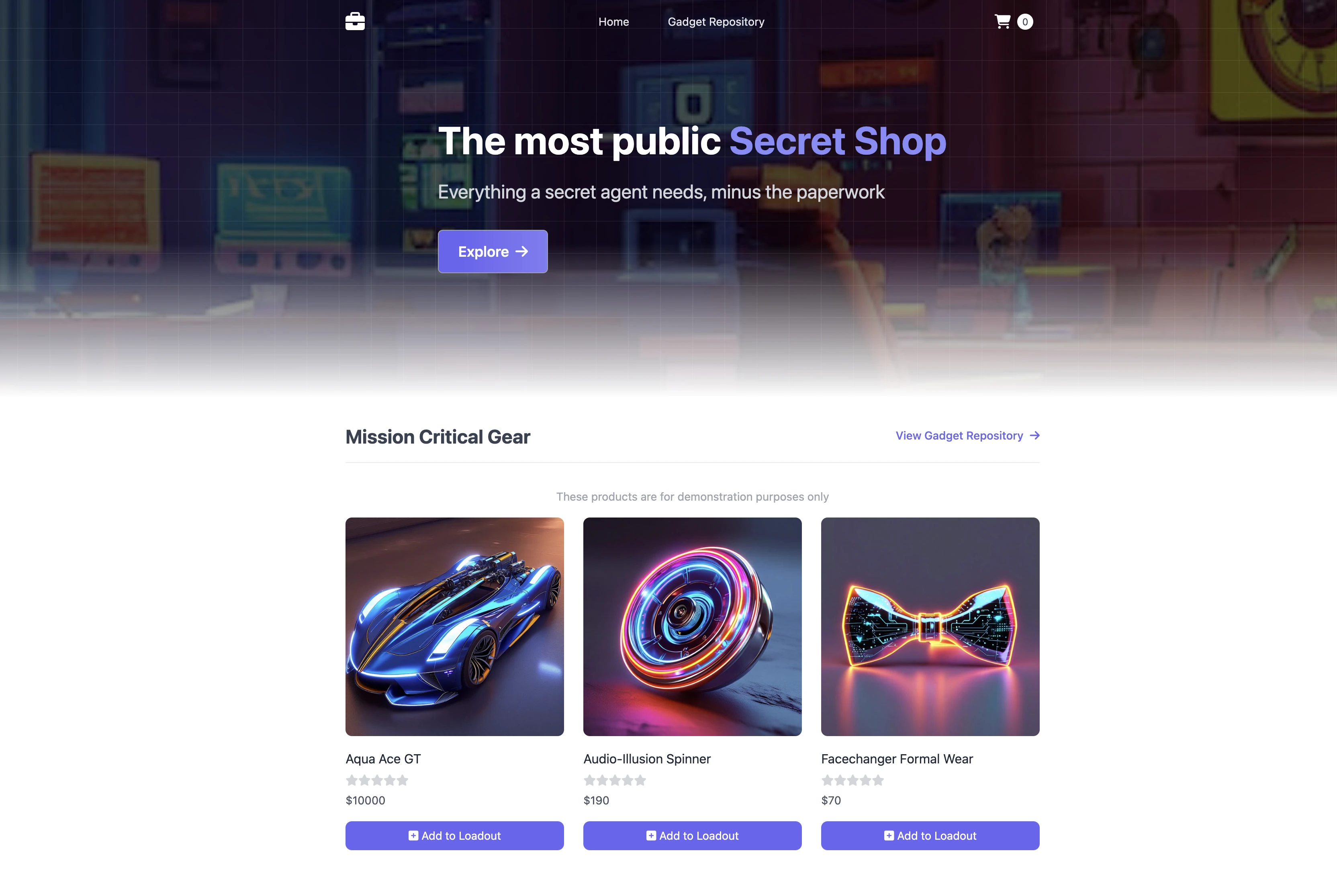
Most of the labs in this workshop use a common sample application to provide actual container components that we can work on during the exercises. The sample application models a simple web store application, where customers can browse a catalog, add items to their cart and complete an order through the checkout process.
The application has several components and dependencies:
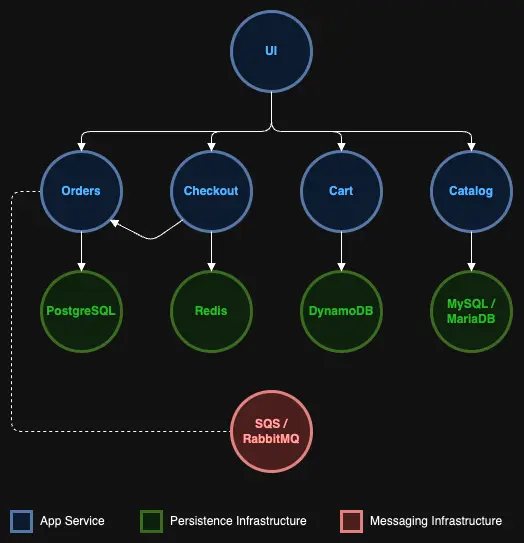
| Component | Description |
|---|---|
| UI | Provides the front end user interface and aggregates API calls to the various other services. |
| Catalog | API for product listings and details |
| Cart | API for customer shopping carts |
| Checkout | API to orchestrate the checkout process |
| Orders | API to receive and process customer orders |
Initially, we'll deploy the application in a manner that is self-contained in the Amazon EKS cluster, without using any AWS services like load balancers or a managed database. Over the course of the labs we'll leverage different features of EKS to take advantage of broader AWS services and features for our retail store.
You can find the full source code for the sample application on GitHub.
Container images
Each component is packaged as a container image and published to Amazon ECR Public:
| Component | ECR Public repository | Dockerfile |
|---|---|---|
| UI | Repository | Dockerfile |
| Catalog | Repository | Dockerfile |
| Cart | Repository | Dockerfile |
| Checkout | Repository | Dockerfile |
| Orders | Repository | Dockerfile |
Kubernetes architecture
Let's explore how the catalog component maps to Kubernetes resources:
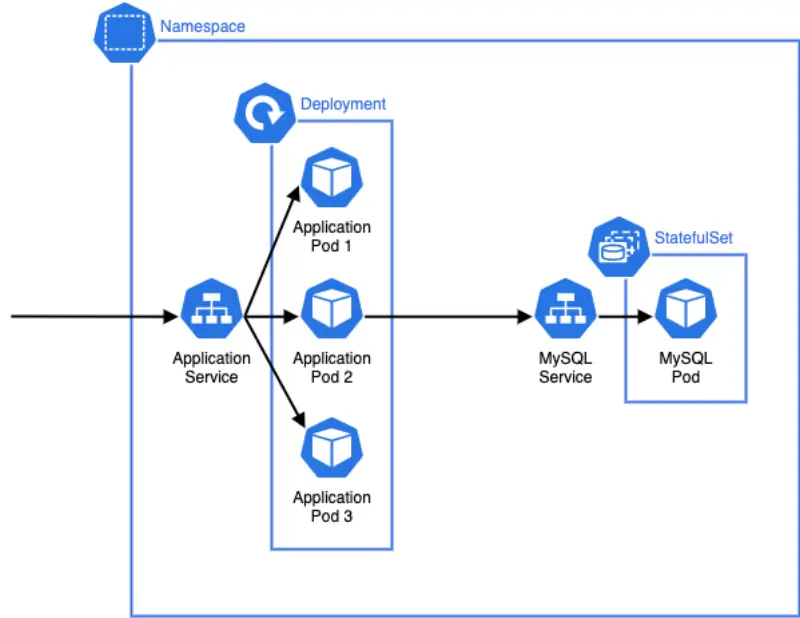
There are a number of things to consider in this diagram:
- The application that provides the catalog API runs as a Pod, which is the smallest deployable unit in Kubernetes. Application Pods will run the container images we outlined in the previous section.
- The Pods that run for the catalog component are created by a Deployment which may manage one or more "replicas" of the catalog Pod, allowing it to scale horizontally.
- A Service is an abstract way to expose an application running as a set of Pods, and this allows our catalog API to be called by other components inside the Kubernetes cluster. Each Service is given its own DNS entry.
- We're starting this workshop with a MySQL database that runs inside our Kubernetes cluster as a StatefulSet, which is designed to manage stateful workloads.
- All of these Kubernetes constructs are grouped in their own dedicated catalog Namespace. Each of the application components has its own Namespace.
Each of the components in the microservices architecture is conceptually similar to the catalog, using Deployments to manage application workload Pods and Services to route traffic to those Pods. If we expand out our view of the architecture we can consider how traffic is routed throughout the broader system:
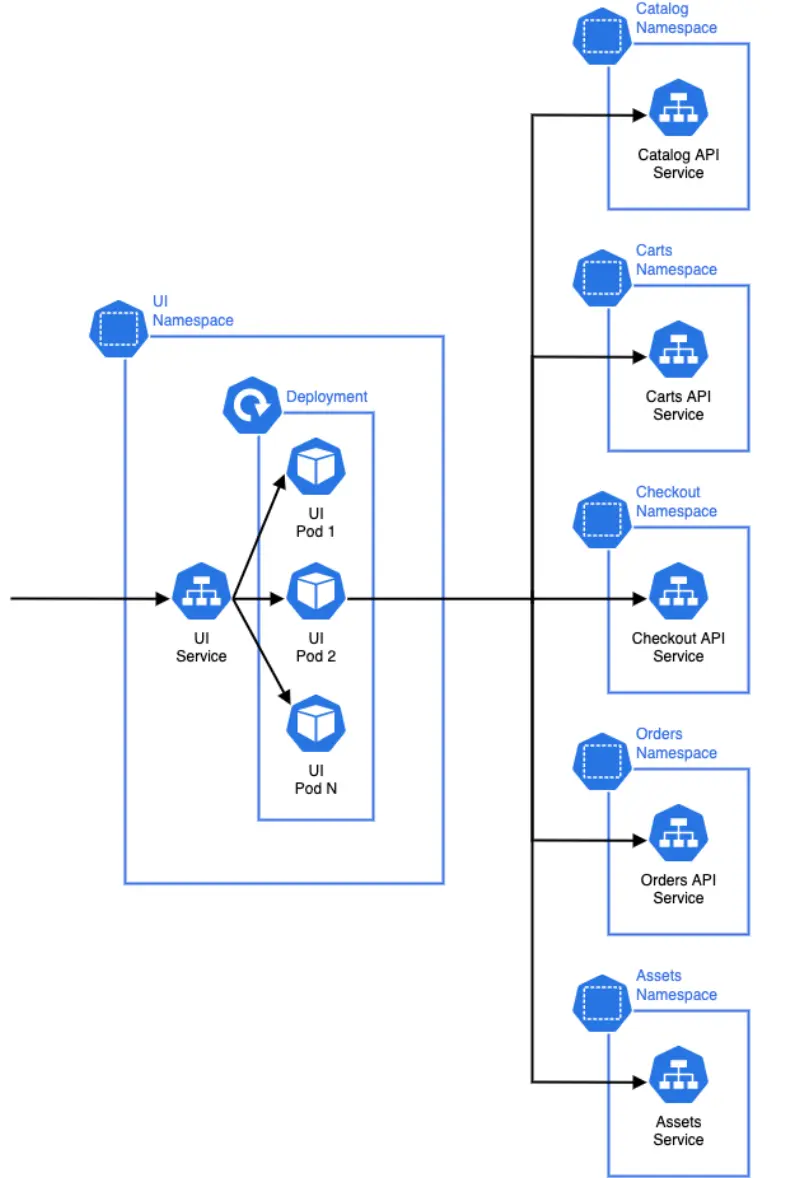
The ui component receives HTTP requests from, for example, a user's browser. It then makes HTTP requests to other API components in the architecture to fulfill that request and returns a response to the user. Each of the downstream components may have their own data stores or other infrastructure. The Namespaces are a logical grouping of the resources for each microservice and also act as a soft isolation boundary, which can be used to effectively implement controls using Kubernetes RBAC and Network Policies.